I got tired of not having a dedicated mute button on macOS. Most solutions involve installing some Electron-based app that sits in your menu bar, phones home, and asks for accessibility permissions. I just wanted to press a key and have the mic toggle.
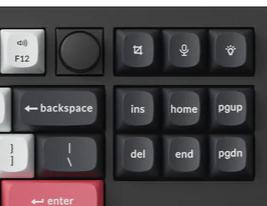
I recently picked up a Keychron Q3 HE (80% TKL layout) — a solid mechanical board (HE stands for Hall Effect switches) with a knob and a row of media/function keys at the top right corner, including a dedicated microphone button (at least it is a button with microophone icon on it)
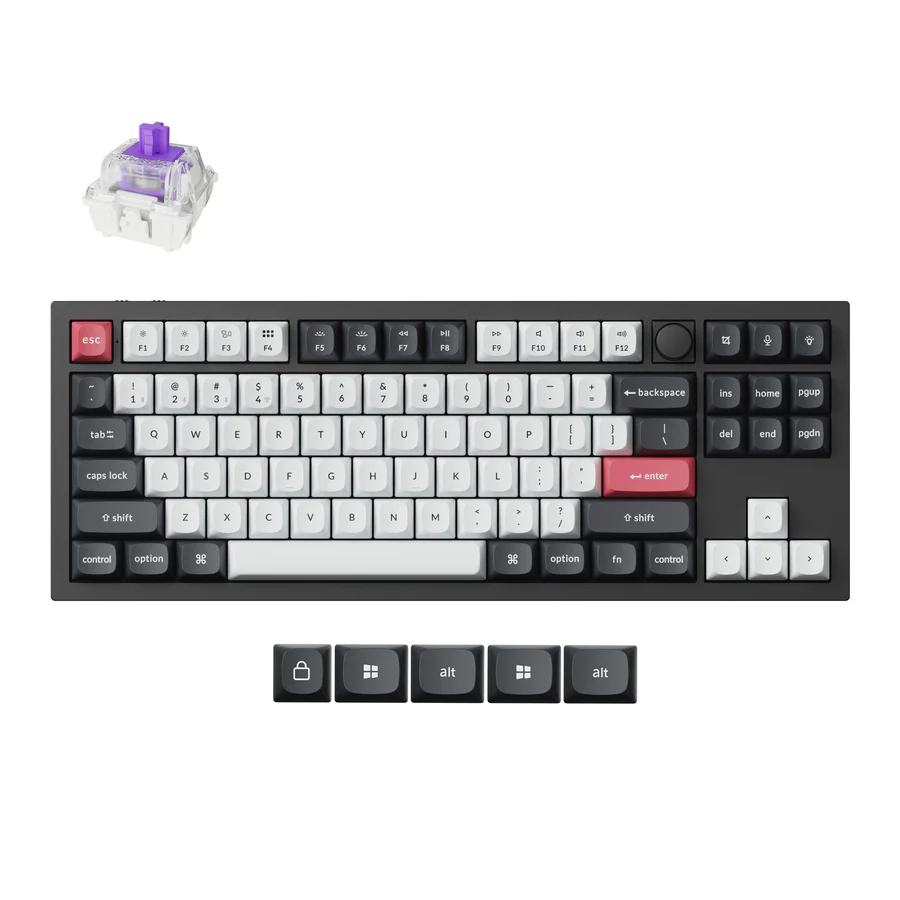
The mic button looks great on the keyboard, but macOS has no idea what to do with it out of the box. It just sends Siri keycode that nothing listens to in my case. The Keychron web configurator lets you remap any key though — so I remapped the mic button to F19, a keycode that macOS recognizes but nothing uses by default.
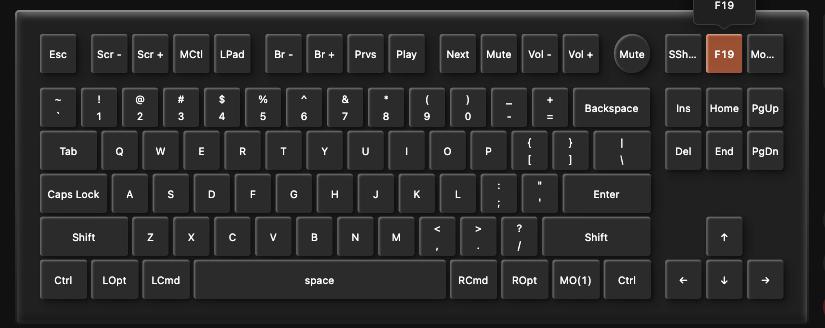
Now I needed something on the macOS side to actually catch F19 and toggle the mic. So I built mac-toggle-mic — a tiny shell script + a Swift OSD overlay, glued together with Automator.
How it works
The core is a short zsh script that talks to macOS via osascript:
#!/bin/zsh

current="$(osascript -e 'input volume of (get volume settings)')"

if [ "$current" -eq 0 ]; then
  osascript -e 'set volume input volume 70'
  ~/.local/bin/mic-osd "MIC ON" &
  afplay /System/Library/Sounds/Pop.aiff >/dev/null 2>&1 &
else
  osascript -e 'set volume input volume 0'
  ~/.local/bin/mic-osd "MIC MUTED" &
  afplay /System/Library/Sounds/Bottle.aiff >/dev/null 2>&1 &
fi
It reads the current input volume, flips it between 0 and 70, plays a system sound for feedback, and fires off an OSD notification. That’s it. No daemon, no background process, no config files.
The OSD
I wanted a visual indicator too — a brief overlay in the center of the screen, like the built-in brightness/volume HUD. macOS doesn’t expose that API, so I wrote a minimal Swift program that creates a borderless floating window, shows a label for 0.85 seconds, and exits:
let window = NSWindow(
    contentRect: rect,
    styleMask: [.borderless],
    backing: .buffered,
    defer: false
)
window.level = .floating
window.isOpaque = false
window.backgroundColor = NSColor.black.withAlphaComponent(0.78)
window.ignoresMouseEvents = true
No XIBs, no storyboards, no SwiftUI — just raw AppKit. The binary compiles with swiftc and has zero dependencies.
Binding it to a key
This is the slightly annoying part. macOS doesn’t let you bind arbitrary scripts to global hotkeys natively. The workaround:
- Create an Automator Quick Action that runs the shell script
- Set it to receive no input in any application (important — if you leave the default “text” input, it won’t trigger globally)
- Go to System Settings → Keyboard → Keyboard Shortcuts → Services and assign your key
I remapped my Keychron’s mic button to F19 using the keyboard’s web configurator, then bound F19 to the Quick Action. Works everywhere — Zoom, Meet, Slack huddles, terminal, whatever.
Why not just use an app?
Because this is 15 lines of shell and 40 lines of Swift. It does exactly one thing. It doesn’t run in the background. It doesn’t need accessibility permissions. It doesn’t auto-update. It doesn’t have a settings window. The unix way — small, composable, transparent.
One caveat: setting input volume to 0 doesn’t disable the microphone at the hardware level. Apps will still see the mic as available, they just won’t get any audio. For my use case (not even case, I just want to have fun to made it possible) - not accidentally broadcasting while on mute - this is fine.
Source: github.com/noroot/mac-toggle-mic